Ready
Exactly one healthy file matches the register expectation.
 Deliverable
Submission readiness for document handovers
Import a CSV or XLSX register, scan a local delivery folder, and verify filenames, document numbers, revisions and file health before the package leaves your hands.
Deliverable Preflight stays close to the workflow document controllers already use. It does not replace the register, rename files or invent matches.
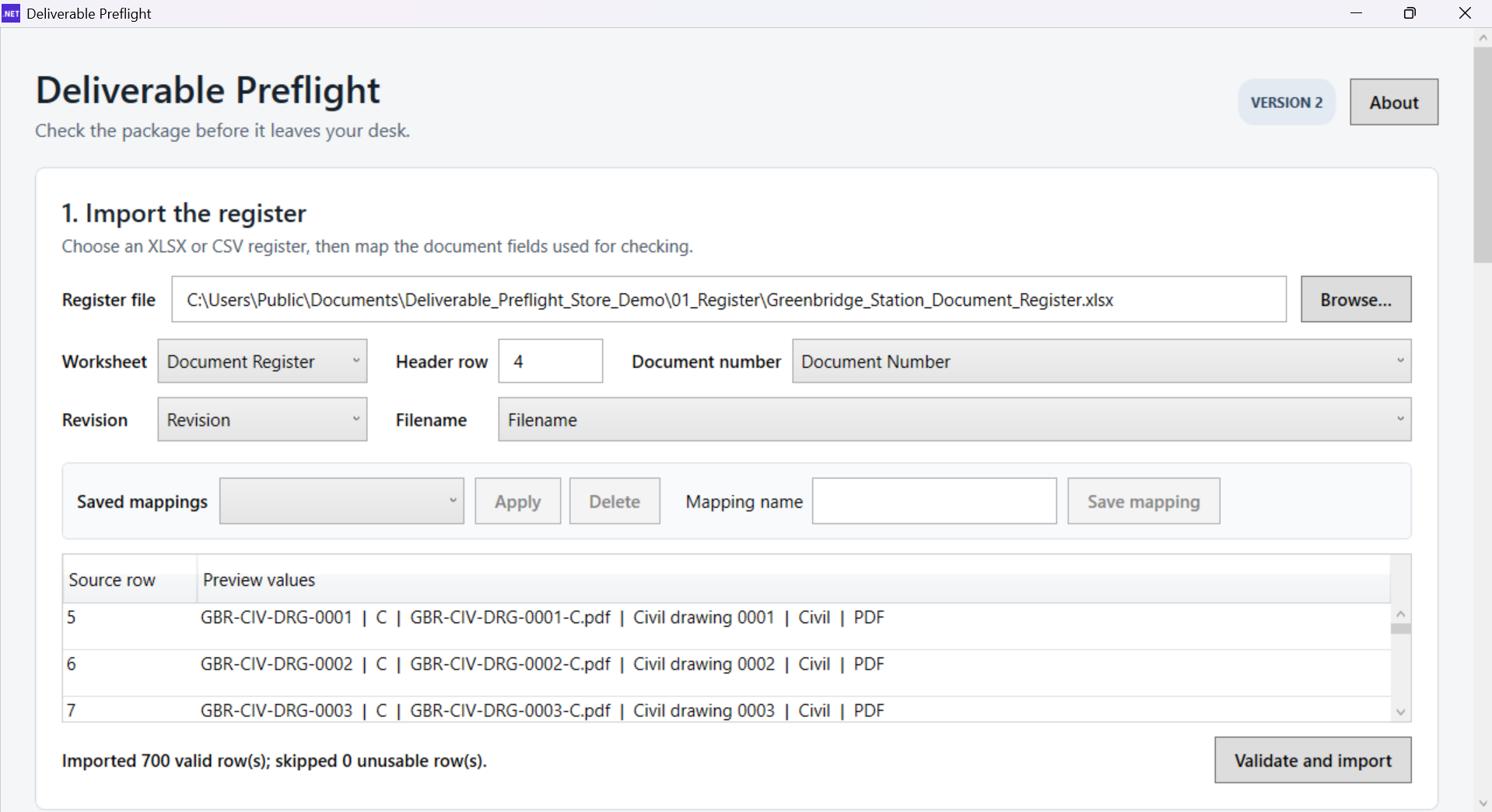
Open a CSV or XLSX register, choose the header row and map document number, revision and filename.
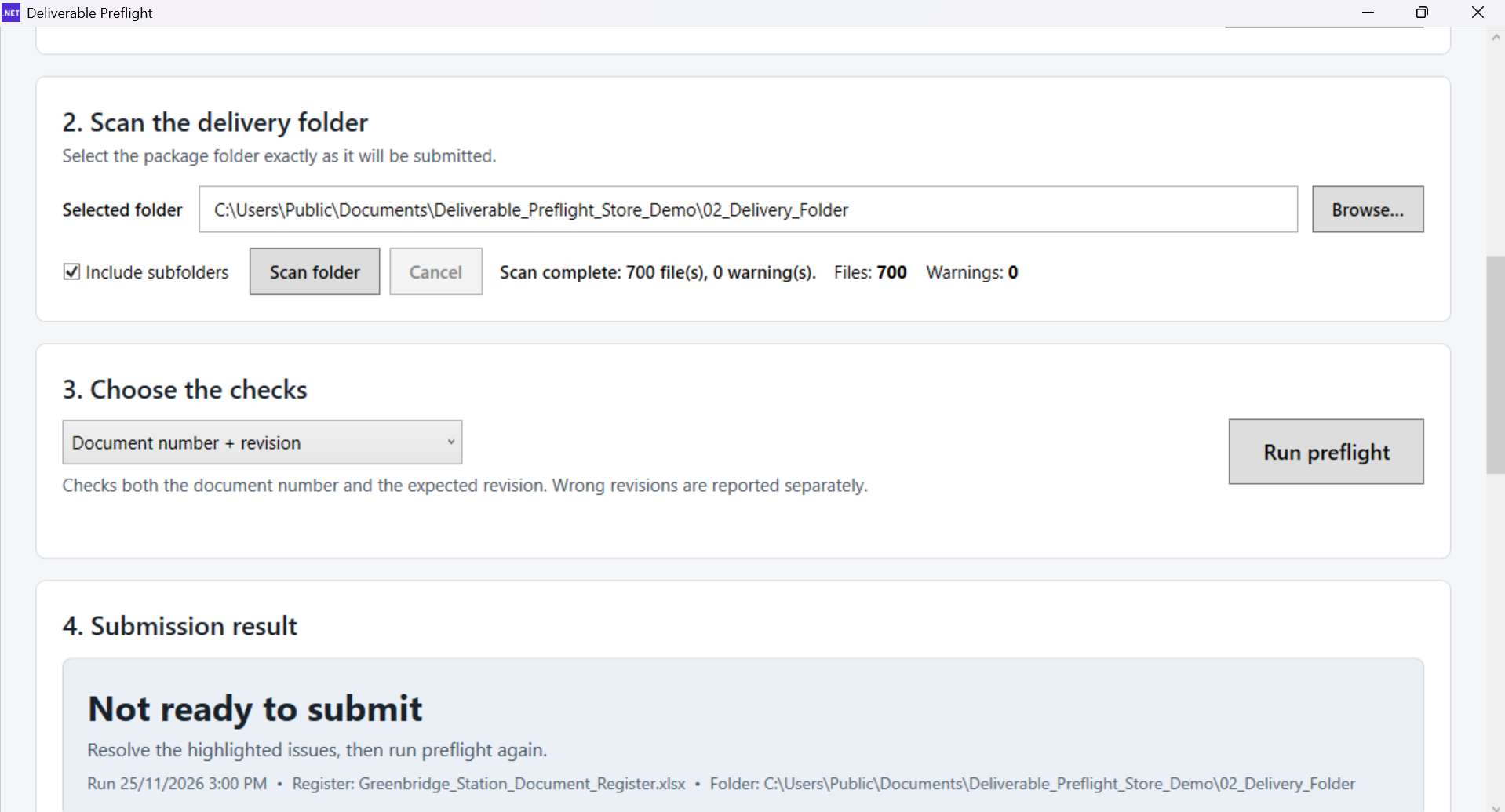
Select the folder to inspect and decide whether subfolders should be included.
Compare exact filenames or validate document number and revision, with file-health checks for empty files and format mismatches.
See exactly what needs attention, inspect candidate paths and export a complete audit report to CSV or XLSX.
Version 2
Watch a complete register import, 700-file folder scan, preflight check and ambiguous-match investigation. Version 2 is now available from the Microsoft Store.
Version 2 product screens
These are the approved Version 2 screens used for final testing and the Microsoft Store update. Select a stage to inspect the workflow.
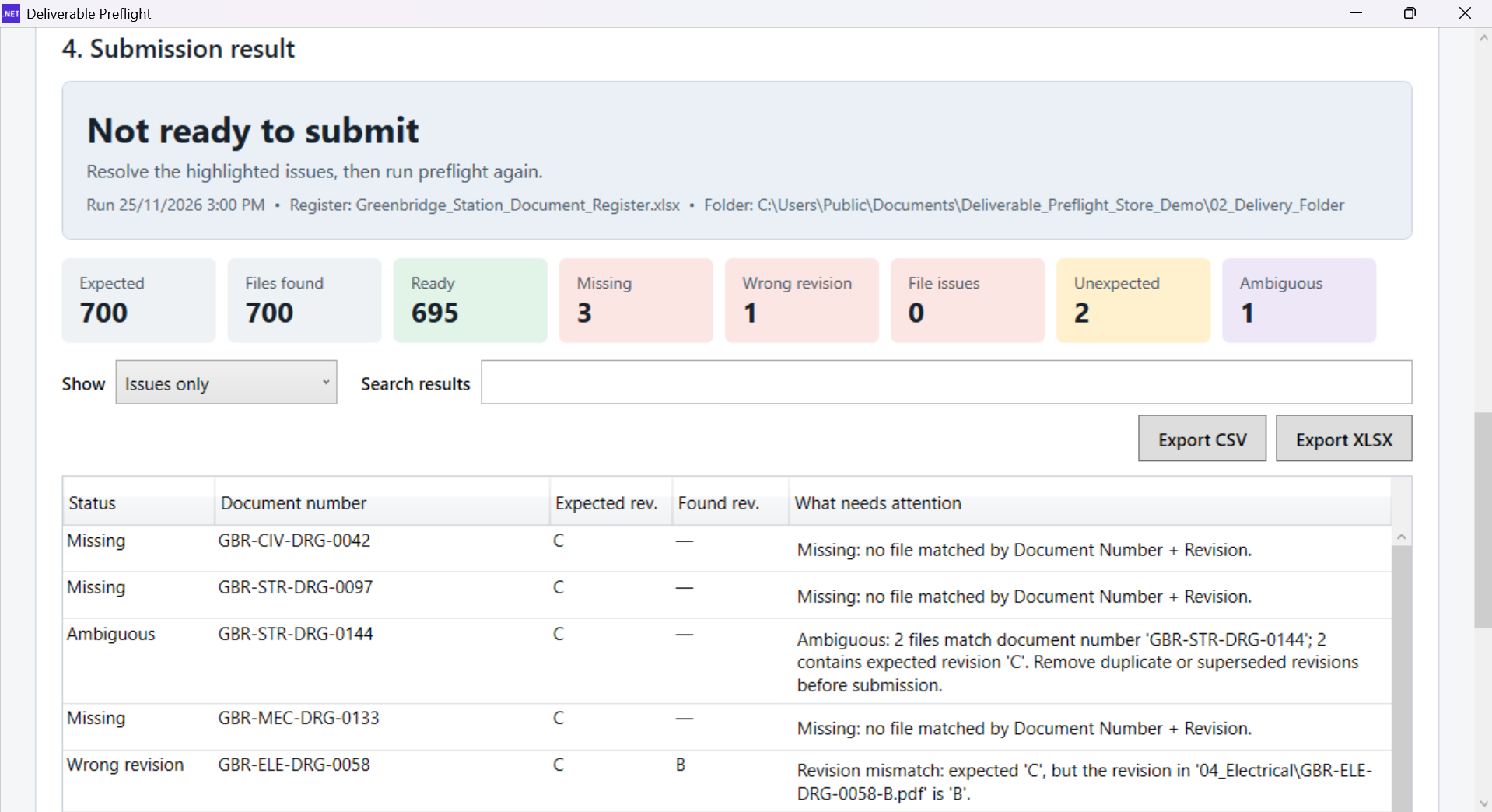
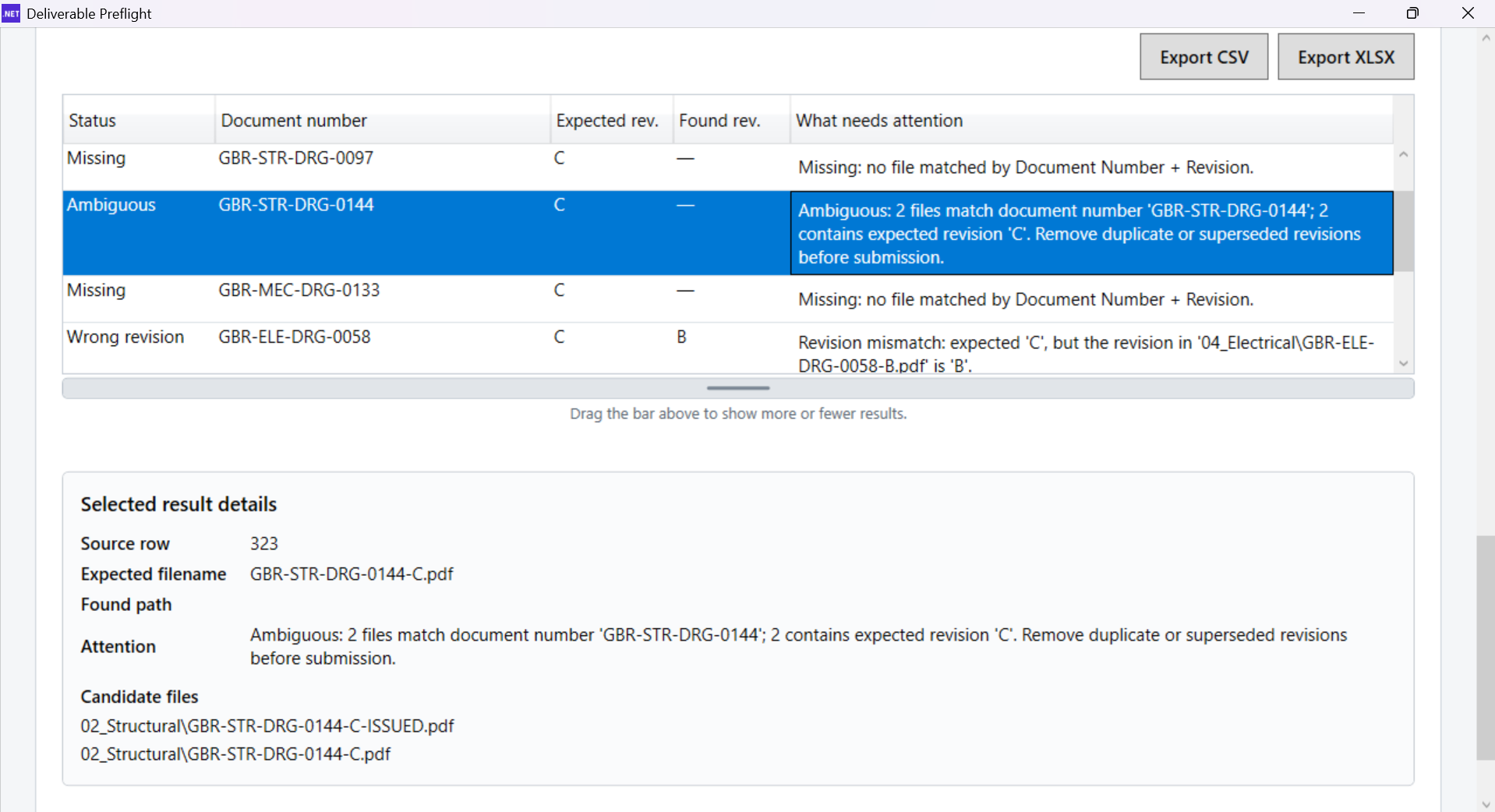
Exactly one healthy file matches the register expectation.
No scanned file matches the register expectation.
The document was found, but its revision does not match the register.
The matched file is empty or its extension conflicts with the expected format.
A scanned file does not correspond to any register expectation.
More than one candidate file matches a single expectation.
Both modes are deterministic and explain what they matched. File-health checks also identify empty files and format mismatches without opening or changing source content.
Compares the complete expected filename from the register with scanned filenames, ignoring letter case.
Finds the mapped document number and checks the expected revision, while reporting wrong revisions separately from missing files.
Privacy by architecture
The application reads only locations selected by the user. It does not upload files, create accounts, collect telemetry, show advertising, rename files, move files or delete source content.
Read the full privacy policy →